
San Antonio businesses show up in Google AI Overviews by doing the SEO work Google already rewards. Google says there are no extra requirements and no special markup: a page must be indexed and able to show in Search with a snippet. From there, answer customer questions in plain text, keep the site easy to use on a phone, and keep your Google Business Profile up to date.
Last Updated: October 21, 2026
Table of Contents
- How Do San Antonio Businesses Show Up in Google AI Overviews?
- Why Your Business Is Not in the AI Overview Yet
- Step 1: Make Sure Google Can Crawl and Index Your Pages
- Step 2: Give Mobile Visitors a Fast, Clear Page Experience
- Step 3: Answer Your Customers’ Questions in Plain Text
- Step 4: Add Structured Data That Matches the Page
- Step 5: Keep Your Google Business Profile and Local Details Current
- Step 6: Track AI Overview Traffic in Search Console
- Get Your San Antonio Website Ready for AI Overviews
- Frequently Asked Questions
Many Google searches now open with an AI Overview, a short AI-written answer with links to the pages it drew from. For a San Antonio business, being one of those links puts your name in front of a customer before the regular results.
Google has explained how pages qualify, and most of it is SEO work you may already do. The gaps are usually small: a page Google cannot index, a buried answer, or an outdated Business Profile.
At Texas Web Design, we build and optimize websites for San Antonio businesses with both Google rankings and AI tools in mind. This guide walks through six steps, in order, that help your pages qualify as a source.
How Do San Antonio Businesses Show Up in Google AI Overviews?
For San Antonio businesses, Google AI Overview optimization starts with meeting Google’s normal Search requirements. Google says SEO best practices remain relevant for its AI features, with no additional requirements, and that a page must be indexed and eligible to show in Search with a snippet to appear as a supporting link.
Our plain-language guide to Google AI Overviews for business owners covers what they are. This post covers what to fix so your pages can be picked.
In an April 2025 study, Ahrefs found that an AI Overview correlated with a 34.5% lower average clickthrough rate for the top-ranking page. Ahrefs’ February 2026 update put the correlated drop at 58%.
Why Your Business Is Not in the AI Overview Yet
Your business may be missing from an AI Overview because the search shows no overview at all, or because Google cannot use your page as a source. Google says AI Overviews appear only when its systems decide they add to classic Search, so they often don’t trigger.
Pew Research Center found that about 1 in 5 Google searches in its March 2025 study of U.S. adults produced an AI summary, so ranking in regular results still counts.
When an overview appears without you, check that your page is indexed, can show a snippet, and answers the question near the top. Paid search can keep you visible during the AI shift while that work builds.
Step 1: Make Sure Google Can Crawl and Index Your Pages
Start by confirming that Google can reach, index, and show your key pages with a snippet, because a page that fails any of those checks cannot appear as a link in an AI Overview. You can run most of these checks in Google Search Console.
- Robots.txt: This file tells crawlers which URLs they can access. Make sure it does not block your service pages.
- Sitemap: A sitemap tells search engines which pages you think are important. Submit it in Search Console and keep it current.
- Snippet controls: A noindex or nosnippet rule limits what Google can show from a page. Keep both off any page you want quoted.
Our SEO services for San Antonio businesses cover these checks and the steps below.
Step 2: Give Mobile Visitors a Fast, Clear Page Experience
Build pages that work well on a phone, because Google uses the mobile version of a site’s content for indexing and ranking. Google also lists a great page experience among its practices for AI features, so slow or cluttered mobile pages hold you back in both places.
Check that text is readable without zooming and that buttons are easy to tap. Google also suggests supporting your text with good images and videos where they help.
A custom, mobile-friendly website design handles much of this at build time.
Step 3: Answer Your Customers’ Questions in Plain Text
Write each key page around the questions San Antonio customers actually ask, and answer each one in the first sentence or two under its heading. Google asks that important content be available as text, so an answer locked inside an image is harder for it to use.
Show who stands behind the answers with a byline, real project examples, and your own photos. Google calls these qualities E-E-A-T (experience, expertise, authoritativeness, and trustworthiness), says trust matters most, and notes that E-E-A-T is not a specific ranking factor.
Our guide to writing website content AI engines trust goes deeper on this page structure.
Step 4: Add Structured Data That Matches the Page
Add structured data where it fits, and keep every detail in it identical to what visitors can see on the page. Google says no special schema is needed for AI Overviews or AI Mode, but it does use structured data to understand page content.
Structured data is a standardized format, often written in JSON-LD (the format Google generally recommends), that describes a page in terms machines can read. For a local business site, that often means LocalBusiness markup on the main pages and Article markup on blog posts.
Schema labels facts that are already on the page, and it will not get a page into an AI Overview by itself.
Step 5: Keep Your Google Business Profile and Local Details Current
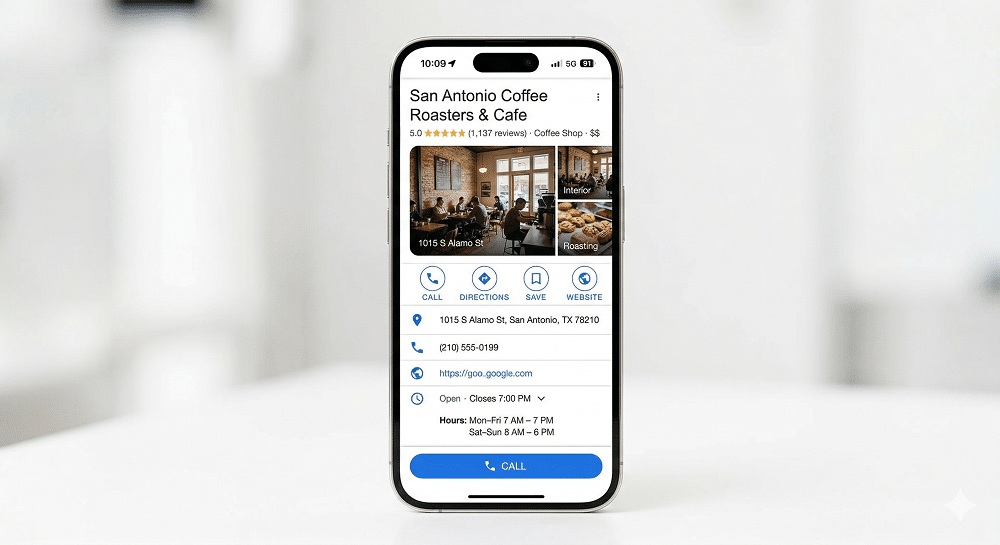
Keep your Google Business Profile complete and accurate, because Google lists up-to-date Business Profile information among its practices for AI features. There is no separate sign-up for AI search, so a verified, complete profile is the local step to take.
- Name, address, and phone: Google asks for the name on your storefront, a precise address, and a phone number that reaches your location. Use the same details everywhere.
- Hours, reviews, and photos: Fill in every field, including holiday hours, and reply to reviews. Google says local results are mainly based on relevance, distance, and popularity.
Pages for each area you serve, like our Texas service area pages, back up the profile, and you can boost your rankings with Google Maps SEO on the map side.
Step 6: Track AI Overview Traffic in Search Console
Track results in Google Search Console, where clicks and impressions from AI features such as AI Overviews are included in the Performance report under the Web search type. Watch the pages that earn impressions but few clicks, because those are the first ones to rework.

Because that traffic is counted with regular results, compare page trends over months rather than days.
If you are weighing a broader plan for AI search, our guide to what AI-optimized SEO is and why San Antonio businesses use it covers the bigger picture.
Get Your San Antonio Website Ready for AI Overviews
AI Overviews draw on pages Google can index, read, and trust, which is the same work that helps your San Antonio business rank in regular results. Start with the crawl and indexing checks, then fix the answers to your top customer questions and update your Business Profile.
At Texas Web Design, we work on both sides of this: traditional search and the AI tools your customers use. Call us today to talk through how your pages appear in AI Overviews, or tell us about your website through our contact page.
Frequently Asked Questions
Why am I not getting an AI Overview?
You may not see an AI Overview because Google shows one only when its systems decide generative AI can be especially helpful for that search, and many searches never trigger one. Availability also depends on whether Google supports your country and language.
How do I enable AI Overviews on Google?
There is no switch to turn AI Overviews on, because Google shows them automatically when its systems decide they will help. Google’s help page says the features cannot be turned off either, though the Web filter shows only text-based links.
How do I get AI Mode to show up on Google?
You can open AI Mode by going to google.com/ai, or by entering a question at google.com and tapping AI Mode. In the Google app, you can tap AI Mode on the home screen. It is available only in the countries and languages Google lists.
How to be in AI Overview?
To be in an AI Overview, your page needs to be indexed and eligible to show in Google Search with a snippet, which is what Google requires of a supporting link. After that, follow Google’s listed practices: answers in text, a good page experience, internal links, and a current Business Profile.
How do I register my business for AI search?
There is no registration for AI search on Google. Google says there are no additional requirements to appear in AI Overviews or AI Mode, so the closest step is creating or claiming your Google Business Profile, verifying it, and keeping its details complete.
How does Google AI Overview optimization work in San Antonio?
Google AI Overview optimization in San Antonio works the same way as anywhere else, with a local layer on top. Your pages need to be indexed and answer customer questions clearly, and your Business Profile, area pages, and contact details need to show Google where you work.
Is AI search optimization different from regular SEO?
For Google’s AI features, AI search optimization is mostly regular SEO done well. Google says the best practices for SEO remain relevant and that no special schema.org structured data is needed. In practice, that means putting more care into question-led content, short direct answers, and accurate local details.
Where can a San Antonio business get help with AI Overviews optimization?
We build and optimize San Antonio business websites for both traditional search and the AI tools customers use, including the indexing, content, and structure work in this guide. Before you hire anyone, ask which pages they would fix first and how they would report progress.
