Inclusive Web Design Best Practices Every Business Should Follow
Inclusive Web Design Best Practices for All Users
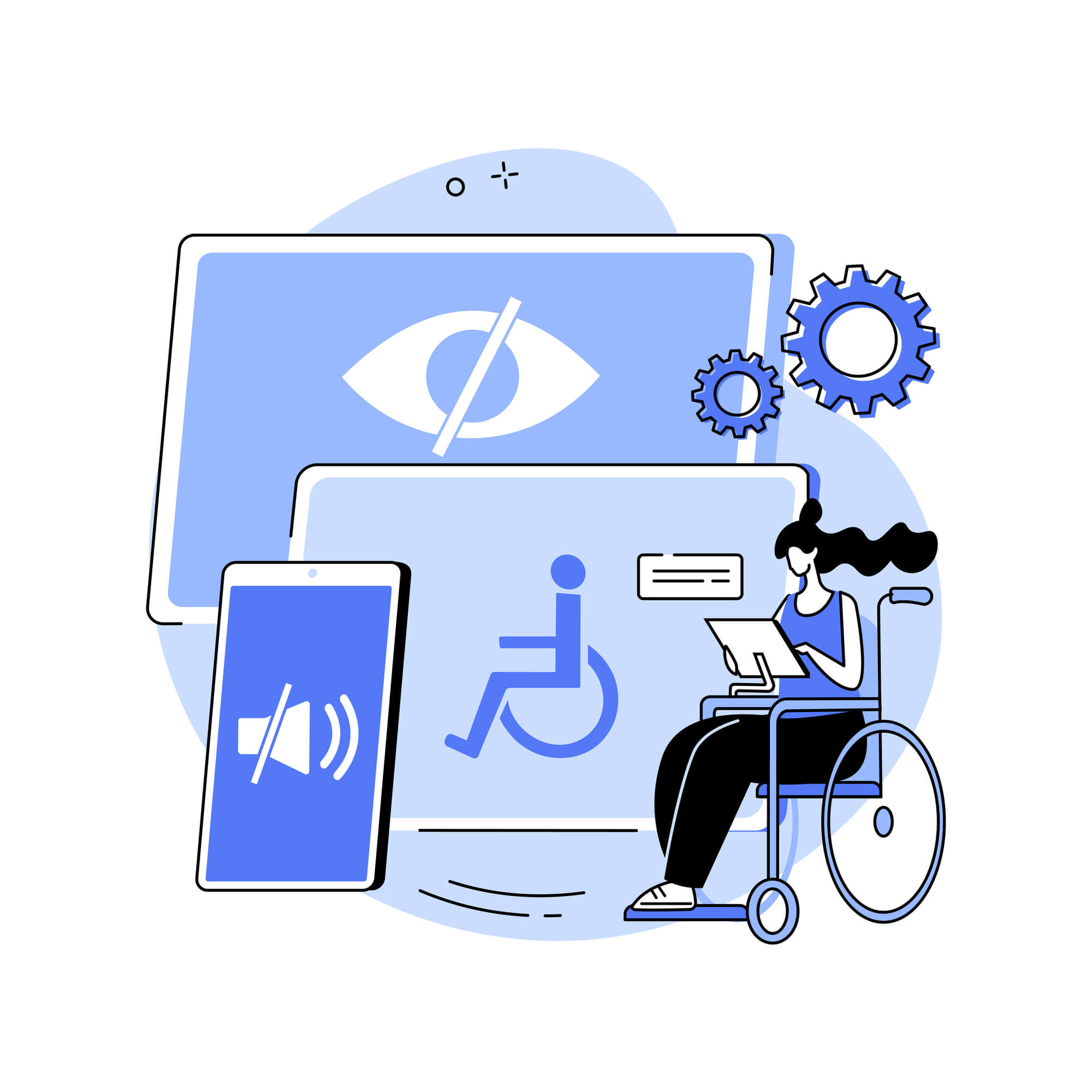
Crafting websites for diverse users is at the heart of inclusive web design. It’s about more than accessibility; it considers cultural nuances and educational levels. Following best practices ensures a seamless experience, no matter the user’s circumstances.
Ensuring accessibility is crucial, as it involves accommodating diverse abilities by providing alternatives for visual content and creating user-friendly interactive elements. Embracing inclusivity is not only a moral imperative but also serves to enhance a brand’s image and broaden its market reach.
Get In Touch
Inclusive web design means making sites usable for everyone, focusing on keyboard navigation, high color contrast, alt text for images, captions for media, clear language, and responsive layouts, all while following WCAG guidelines and testing with diverse users to ensure flexibility and remove barriers for people with disabilities. Key practices include using semantic HTML, clear focus indicators, and avoiding reliance on color alone to convey information.
Businesses adopt practices like user research, clear language, and consistent layouts to remove biases and create a considerate user experience. Inclusive web design isn’t just a goal; it’s the gold standard, creating an online space where everyone feels welcome.
At Texas Web Design, our team helps San Antonio businesses build websites that work for every visitor, regardless of ability. If your site has not been audited for accessibility, request a free accessibility audit or call 210-985-8528, and we will identify exactly what needs to improve.
Understanding the Basics of Inclusive Web Design
Inclusive web design prioritizes accessibility, ensuring effective navigation for users of all abilities. It incorporates universal design principles to establish a bias-free online environment.
Defining Accessibility and Inclusivity
Accessibility involves making a website usable by people with different abilities, including disabilities. In contrast, inclusivity in web design goes beyond accessibility; it’s about creating websites that are welcoming and usable for a diverse range of individuals with varying backgrounds, abilities, and needs.
The Importance of Universal Design Principles
Universal design principles guide the creation of inclusive digital spaces, aiming for equal usability for all users, regardless of their abilities. These principles encourage straightforward and intuitive website use.
By adhering to them, businesses can make sure their online platforms are user-friendly for everyone, minimizing biases and fostering a fair and inclusive digital environment.
Design Aspects and Best Practices
Inclusive web design thinks about a diverse audience, making sure that everyone, regardless of their abilities or disabilities, can engage with a website. It includes particular design principles to improve the user experience and accessibility.
Visual Hierarchy and Color Contrast
A clear visual hierarchy guides users effectively. High color contrast aids visually impaired users, with bold headers highlighting key sections and contrasting colors distinguishing interactive elements. Designers should ensure color ratios meet WCAG guidelines.
Alt Text and ARIA Attributes
Adding alt text to images ensures that screen reader users can grasp the information conveyed visually. The alt text should be descriptive, providing context. Likewise, ARIA (Accessible Rich Internet Applications) attributes improve accessibility by describing roles, states, and properties, aiding users using assistive technology in navigation.
Ensuring Keyboard Navigation and Screen Reader Compatibility
Accessible web design demands seamless keyboard navigation for users with mobility challenges. All interactive elements should be keyboard-accessible with logical tab orders. Screen reader compatibility is crucial, requiring proper use of HTML tags, ARIA roles, and accessibility for dynamic content.
Technical Considerations for Accessibility
To make a website accessible, businesses need to focus on the technical aspects, ensuring usability on different devices and for people with various disabilities. These considerations are fundamental for meeting contemporary web accessibility standards.
Responsive Design and Cross-Platform Accessibility
Responsive design is vital for accessibility across devices. It uses fluid grids and flexible images for an optimal viewing experience.
To ensure cross-platform accessibility, websites must function well on different browsers and operating systems. Developers employ progressive enhancement, starting with basic accessibility and adding enhancements for advanced users.
Optimizing for Various Disabilities and Impairments
Implementing accessibility features thoughtfully is crucial for supporting users with disabilities.
For visual impairments, provide text alternatives, sufficient contrast, and keyboard navigation.
Hearing impairments benefit from captions and transcripts.
Motor impairments require design considerations for assistive technologies.
For cognitive impairments, prioritize clear navigation and simple interactions.
Accessibility should be integral to web design, ensuring hardware and software collaborate seamlessly for all users.
WCAG sets the standard for web accessibility, catering to individuals, organizations, and governments worldwide. It centers on four principles: perceivability, operability, understandability, and robustness. Compliance levels range from A to AAA, with Level AA commonly seen as good practice for businesses.
Perceivable: Information and user interface components must be presented to users in ways they can perceive.
Operable: User interface components and navigation must be operable.
Understandable: Information and the operation of the user interface must be understandable.
Robust: Content must be robust enough to be interpreted reliably by a wide variety of user agents, including assistive technologies.
Tools and Methods for Accessibility Auditing
Businesses utilize various tools and methods to evaluate their web accessibility standards, which can help identify any barriers that might prevent access to their web content.
WAVE (Web Accessibility Evaluation Tool): Free browser-based tool that scans a single page and visually overlays accessibility issues directly on the page. Best for quick spot checks.
axe DevTools: Free browser extension from Deque Systems. Industry standard for automated accessibility testing during development. Catches roughly 57% of WCAG issues automatically.
Lighthouse Accessibility Audit: Built into Chrome DevTools. Runs alongside performance and SEO audits and provides a numerical accessibility score.
Accessibility Insights for Web: Free Microsoft tool that combines automated checks with guided manual testing for issues automation cannot detect.
ARC Toolkit: Free browser extension from TPGi that focuses on WCAG-specific issue detection.
Pa11y: Open-source command-line tool for automated accessibility testing across multiple pages or entire sites.
It is important to know that automated tools detect only about 30 to 57% of WCAG issues. The remaining issues require manual testing with screen readers like NVDA (free, Windows), JAWS (paid, Windows), and VoiceOver (built into macOS and iOS), plus testing by people who actually use assistive technology daily.
WCAG 2.2 Level AA Compliance Checklist
WCAG 2.2 was published in October 2023 and is the current accessibility standard. Most ADA-related lawsuits cite WCAG 2.2 Level AA as the benchmark. The checklist below covers the most commonly cited violations and is a practical starting point for any San Antonio business website.
Visual accessibility
Add descriptive alt text to every meaningful image. Decorative images can use empty alt attributes. Missing alt text is cited in 89% of ADA accessibility complaints.
Maintain a color contrast ratio of at least 4.5:1 for normal text and 3:1 for large text. Insufficient contrast is cited in 68% of complaints.
Never rely on color alone to convey information. Use icons, text labels, or patterns alongside color cues.
Make sure text can be resized up to 200% without loss of content or functionality.
Keyboard and navigation
Make every interactive element reachable and usable with the keyboard. Keyboard navigation failures are cited in 61% of complaints.
Provide visible focus indicators on all interactive elements so keyboard users can see where they are on the page.
Include a “Skip to main content” link at the top of every page. Missing skip navigation is cited in 55% of complaints.
Use a logical tab order that follows the visual flow of the page.
Forms and inputs
Label every form field clearly with a visible label or properly associated <label> element. Missing form labels are cited in 72% of complaints.
Provide clear error messages that identify the specific field and how to fix the error.
Avoid empty links and buttons. Every link and button must have descriptive text or an aria-label. Empty links are cited in 48% of complaints.
Structure and content
Use semantic HTML including proper heading hierarchy (one H1, then H2, H3 in order), <nav>, <main>, <footer>, and <button> elements.
Set the page language with the lang attribute on the <html> tag. Missing page language is cited in 42% of complaints.
Add captions to all video content and transcripts to audio content.
Make sure PDFs are accessible with proper tagging, reading order, and text content (not just scanned images). Inaccessible PDFs are cited in 38% of complaints.
This checklist covers the violations responsible for over 90% of ADA accessibility lawsuits. Auditing a website against these 15 items addresses the highest-risk areas first.
ADA Compliance and Web Accessibility in 2026
The Americans with Disabilities Act (ADA) covers digital accessibility through Title III, which prohibits discrimination by businesses considered “places of public accommodation.” Courts and the Department of Justice have consistently treated business websites as falling under this requirement.
What changed in 2024
In April 2024, the Department of Justice published a final rule under Title II requiring all state and local government websites and mobile apps to comply with WCAG 2.1 Level AA by April 2026 (for entities serving 50,000 or more people) and April 2027 (for smaller entities). While the rule applies directly to government entities, it has reinforced WCAG as the de facto standard for private business websites as well.
What this means for private businesses
ADA Title III, which covers private businesses, does not specify technical web standards in the law itself, but courts and the DOJ rely on WCAG 2.1 and 2.2 as the benchmark. A business website that fails basic WCAG checks is at significantly higher risk of receiving a demand letter or facing a lawsuit.
The most common targets in 2025 were:
E-commerce websites (77% of lawsuits)
Companies with annual revenue under $25 million (73% of lawsuits)
Sites in New York, Florida, California, and Illinois (the four most common filing states)
Repeat targets: 18% of businesses sued in 2024 were sued again in 2025 for new or recurring violations
For a San Antonio business with an online presence, ADA compliance is not optional. The most practical path is to audit the website against WCAG 2.2 Level AA, fix the most commonly cited violations, and maintain accessibility through regular re-audits.
Building Inclusive Experiences Beyond Accessibility
Creating inclusive web experiences goes beyond technical accessibility, integrating cultural, language, and gender considerations into design. An empathetic approach is essential to meeting diverse user needs while respecting and understanding the nuances of the target audience.
Cultural, Language, and Gender Considerations
In website creation, designers need to acknowledge the significant influence of culture on the user experience. Ensuring global relevance involves supporting multiple languages and delivering content free from cultural biases. Visual elements and color schemes must consider diverse cultural connotations.
Gender inclusivity is equally vital; website language should be gender-neutral, steering clear of stereotype-reinforcing terms. Forms and surveys should encompass a wide range of gender identities beyond the traditional binary choices.
Accommodating Diverse User Needs and Preferences
Inclusive design must cater to a spectrum of user preferences and needs. This part of the design process involves:
Adaptive Features: Letting users personalize their experience, like choosing font sizes or color contrasts.
Personalization: Tailoring content to individual behaviors, interests, and abilities significantly improves the user’s experience.
Assistive Technology Compatibility: Ensuring websites seamlessly work with assistive devices, like screen readers and magnifiers, empowers users with various abilities beyond basic accessibility.
AI-Powered Accessibility Tools and the Overlay Problem
AI is changing how accessibility work happens. Tools that auto-generate alt text from images, create captions from video, and improve screen reader accuracy are now standard parts of the accessibility toolkit. These tools genuinely help when used as starting points that humans then review.
However, AI accessibility overlay widgets are a different category. These are JavaScript widgets installed on a website that promise full WCAG compliance without changing the underlying code. They have been heavily criticized by the accessibility community because they often introduce new barriers while leaving the underlying WCAG violations unaddressed.
In 2024, 25% of all ADA lawsuits explicitly cited overlay widgets as barriers rather than solutions. In January 2025, the Federal Trade Commission fined accessiBe, the largest overlay provider, $1 million for false advertising and paid reviews disguised as real customer testimonials.
The lesson is straightforward: AI-assisted accessibility work is valuable when paired with proper code-level remediation. AI overlay widgets that promise instant compliance are not a substitute for actual accessibility work and may increase legal exposure rather than reduce it.
Contact Texas Web Design Today for Expert Web Design!
Are you ready to elevate your online presence? Contact us now for cutting-edge web design solutions meticulously tailored to fit your business’s unique needs.
Our expert team is committed to transforming your digital landscape by crafting websites that not only captivate your audience but also drive results. With us, your journey toward success begins with just a click.
Don’t wait—reach out today and take the first step in redefining your online identity with Texas Web Design!
I am text block. Click edit button to change this text. Lorem ipsum dolor sit amet, consectetur adipiscing elit. Ut elit tellus, luctus nec ullamcorper mattis, pulvinar dapibus leo.
Inclusive web design best practices include adding descriptive alt text to all meaningful images, maintaining a color contrast ratio of at least 4.5:1 for normal text, making sure every interactive element is keyboard accessible, providing visible focus indicators, using semantic HTML with proper heading hierarchy, labeling every form field clearly, adding captions to video content, and following WCAG 2.2 Level AA standards. Together, these practices create a website that works for visitors with different abilities and reduces ADA legal exposure.
Accessibility focuses specifically on making a website usable by people with disabilities, typically measured against WCAG standards. Inclusive design is broader and considers the full range of human differences including ability, age, language, culture, and technology access. Inclusive design includes accessibility but goes further, accounting for things like cultural differences in color and imagery, gender-neutral language, and adaptive features that let users personalize their experience.
For state and local government websites in the United States, yes. The April 2024 DOJ Title II rule requires WCAG 2.1 Level AA compliance by April 2026 or 2027 depending on entity size. For private businesses, the ADA Title III does not specify technical web standards in the law itself, but courts and the DOJ rely on WCAG as the benchmark in lawsuits. In practice, any business website is at risk of an ADA accessibility lawsuit if it fails basic WCAG checks.
WCAG 2.2 is the current Web Content Accessibility Guidelines standard, published by the W3C in October 2023. It builds on WCAG 2.1 by adding nine new success criteria focused on improvements for users with cognitive disabilities, low vision, and motor disabilities. New requirements include better focus visibility, easier authentication processes, and improved help availability. Most accessibility audits in 2026 use WCAG 2.2 Level AA as the benchmark.
No. Accessibility overlay widgets do not provide ADA compliance and have been heavily criticized by the accessibility community. In 2024, 25% of all ADA accessibility lawsuits explicitly cited overlay widgets as barriers rather than solutions. The Federal Trade Commission fined the largest overlay provider $1 million in January 2025 for false advertising. True accessibility requires fixing the underlying website code, not adding a widget on top of it.
Accessibility audit costs vary based on website size and complexity. A basic automated scan and manual review of a small business website typically ranges from $1,500 to $5,000. Comprehensive audits including testing with assistive technology and detailed remediation plans range from $5,000 to $25,000 or more for larger sites. Many web design agencies, including Texas Web Design, offer free initial accessibility audits to identify the most critical issues.
The most common WCAG violations cited in 2025 lawsuits were missing alt text on images (89% of complaints), missing form labels (72%), insufficient color contrast (68%), keyboard navigation failures (61%), missing skip navigation (55%), empty links or buttons (48%), missing page language (42%), inaccessible PDFs (38%), missing video captions (31%), and focus management issues (28%). Addressing these top 10 violations covers the majority of legal exposure.
Start with an accessibility audit using tools like WAVE, axe DevTools, or Lighthouse to identify the most pressing issues. Fix the highest-priority violations first, especially missing alt text, color contrast, keyboard navigation, and form labels. Update the site to meet WCAG 2.2 Level AA standards, publish an accessibility statement, and establish a process for ongoing accessibility maintenance. Working with an accessibility-focused web design partner ensures the work is done properly and stays current as standards evolve.